Robots.txt Validator and Tester
The robots.txt is one of the most influential files on your website – and one of the most commonly misconfigured. A single syntax error can cause Google to skip important pages or index areas that should remain private.
This tool validates your robots.txt against RFC 9309 (the current standard), tests individual URLs against your rules, and shows you the exact rule precedence that a crawler would apply. You will see not just whether a URL is blocked, but why – including the deciding rule.
Robots.txt Validator
Paste the complete content of your robots.txt to check for errors.
Enter URL paths (with leading /) to check if they are blocked or allowed.
Enter a domain to fetch and analyze its robots.txt.
How the Robots.txt Validator Works
- Fetch robots.txt: Enter your domain, and the tool automatically downloads and analyzes your robots.txt.
- Paste content: Alternatively, paste your robots.txt content directly into the text field – useful for testing changes before going live.
- Check syntax: The tool analyzes each line and reports errors (invalid directives, missing colons) and warnings (unknown directives, empty user-agent groups).
- Test a URL: Select a user agent (Googlebot, Bingbot, Yandex, or a custom one) and enter a URL. The tool shows whether the URL is allowed or blocked.
- Understand rule precedence: Click “Show explanation” to see the full rule trace: which rules match, which has the longest path match, and why it wins.
Changelog
- Added visual rule precedence explanation (“Explain” feature) – shows the exact decision chain per RFC 9309
- Fixed stacked user-agent processing (multiple user-agents before a rule now correctly apply to all)
- Added domain fetch with automatic syntax analysis
- Sitemap detection within robots.txt
- Support for custom user agents in URL testing
Background: Why robots.txt Matters
The robots.txt is the first file that search engine crawlers read when visiting your website. It controls which areas may be crawled and which may not. A misconfigured robots.txt can cause two opposing problems:
- Too restrictive: Important pages are excluded from crawling and disappear from the index.
- Too permissive: Internal areas like admin panels, staging environments, or search result pages get indexed.
RFC 9309: The Current Standard
Since September 2022, RFC 9309 is the official standard for robots.txt. Among other things, it specifies that when multiple rules match a URL, the rule with the longest path match wins – not the first or last in the file. This tool applies exactly that logic.
What Should You Do With the Results?
- Fix syntax errors: Invalid directives or missing colons can cause crawlers to ignore the rule entirely.
- Run URL tests: Test your most important pages (homepage, categories, products) and make sure none are accidentally blocked.
- Review wildcard rules: Rules with
*can unintentionally block entire sections of your site. Use the rule precedence explanation to understand the behavior. - Check sitemap entries: Your robots.txt should contain a reference to your XML sitemap.
Frequently Asked Questions
Frequently Asked Questions
What is robots.txt?
The robots.txt is a plain text file in your website’s root directory (at /robots.txt) that tells search engine crawlers which areas they may visit and which they should not. It is supported by all major search engines.
Does robots.txt block indexing?
Not directly. The robots.txt prevents crawling, not indexing. If a page is blocked via robots.txt but linked from other pages, Google may still index it – just without knowing the page content. To prevent indexing, use a noindex meta tag instead.
What does “longest path match” mean?
When multiple rules match a URL, the one with the longest matching path wins. Example: Disallow: /blog/ and Allow: /blog/important.html – for /blog/important.html, the Allow rule wins because it is more specific (longer).
What happens if no robots.txt exists?
If the server returns a 404 error, crawlers interpret this as “everything allowed.” The entire website can be crawled freely. This is fine for most websites, but you lose the ability to exclude specific areas.
Do the rules also apply to AI bots?
Some AI bots like GPTBot or ClaudeBot respect robots.txt. However, this is not guaranteed, as there is no binding standard. To specifically check AI bot access, use our AI Bot Checker.
Can I set different rules for different crawlers?
Yes. Each User-agent block in the robots.txt applies only to the named crawler. You can assign different rules to Googlebot than to Bingbot, for example. A User-agent: * block serves as a fallback for all crawlers without their own specific rules.
Related tools
These tools work together when you check what crawlers can see and are allowed to do on your website.
- AI Bot Checker shows which AI crawlers may read your site according to robots.txt and meta robots.
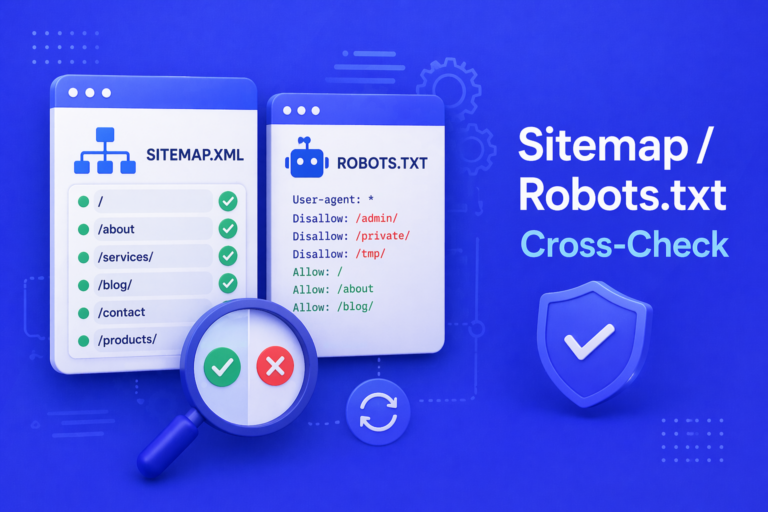
- Sitemap and Robots.txt Cross-Check finds contradictions between what the sitemap submits and what robots.txt blocks.
- AI Bot Log Parser parses server logs and shows which bots actually visit.
- llms.txt Tester and Validator checks llms.txt, the counterpart to robots.txt for language models.