AI Bot Checker: Which AI Bots Have Access to Your Website?
GPTBot, ClaudeBot, Bytespider – AI systems crawl millions of websites daily to train their models or answer user queries. The question is: Have you consciously allowed this access, or is it happening without your knowledge?
This tool checks your robots.txt against 167 AI bots and additionally detects whether your website signals an opt-out via meta robots tags (noai, noimageai). The result: a clear overview with charts showing which AI providers can access your content – and which cannot.
AI Bot Access Checker
Enter a domain to fetch and analyze its robots.txt for AI bot access.
Path to test (e.g., /, /blog/, /api/). Defaults to /.
Test a custom user-agent string alongside known AI bots.
Paste robots.txt content to test AI bot access.
Path to test (e.g., /, /blog/, /api/). Defaults to /.
Test a custom user-agent string alongside known AI bots.
How the AI Bot Checker Works
- Enter your domain: Enter your domain. The tool automatically loads your robots.txt and scans your homepage for meta robots tags.
- Test custom rules: Alternatively, paste robots.txt content directly to test changes before deploying them.
- Review results: For each of the 167 AI bots, you will see the status (allowed/blocked), user agent string, description, and category (search, training, interactive, dataset, scraper). The list shows the 76 well-known bots first; a switch reveals the 91 less-known ones.
- Analyze the chart: The donut chart and vendor overview show the ratio of allowed to blocked bots at a glance – broken down by provider (OpenAI, Anthropic, Google, Meta, Apple, and more).
- Check meta robots signals: The tool detects
noaiandnoimageaimeta tags as well asX-Robots-Tagheaders on your homepage.
Changelog
- Bot database expanded from 156 to 167 AI bots (checked against the ai.robots.txt list, as of 25 August 2026)
- Bot database expanded from 32 to 156 AI bots; the list shows the 76 well-known bots by default and a switch reveals the 91 less-known ones
- Expanded bot database from 16 to 32 AI bots (including further bots from Apple, Meta and Perplexity as well as Mistral AI and You.com)
- Added donut chart and per-vendor stacked bar chart for visual analysis
- Implemented meta robots detection: scans
<meta name="robots">, bot-specific meta tags, andX-Robots-TagHTTP headers for noai/noimageai - Added bot categorization by purpose (search, training, interactive, dataset, scraper)
- Custom user agent input for individual bot testing
Background: Why You Should Control AI Bot Access
AI companies use web crawlers to collect training data or provide real-time information. This typically happens without explicit consent from website operators. The robots.txt is currently the primary mechanism to control this access.
Two Types of AI Bots
- Search and answer bots: These bots (e.g., ChatGPT-User, PerplexityBot) fetch content to answer user queries in real time. Blocking them means your content will not appear in AI-powered search results.
- Training bots: These bots (e.g., GPTBot, ClaudeBot) collect data for training language models. This raises the fundamental question of whether your content should be used to train third-party AI systems.
Frequently Asked Questions
Frequently Asked Questions
robots.txt vs. Meta Robots: What is the Difference?
The robots.txt blocks crawling at the directory level. Meta robots tags like noai signal at the page level that the content should not be used for AI training. Both mechanisms complement each other but are not legally binding – they rely on voluntary compliance by AI providers.
Which AI bots does the tool check?
The tool checks 167 AI bots from providers such as OpenAI, Anthropic, Google, ByteDance, Meta and Apple, including GPTBot, ClaudeBot, Bytespider and Google-Extended. 76 of them count as well-known bots, 91 as less-known ones.
Can I block all AI bots at once?
There is no single user agent for “all AI bots.” You need to block each bot individually in your robots.txt. This tool shows you all relevant user agent strings so you can create the appropriate rules.
Do all AI bots respect robots.txt?
Most major providers (OpenAI, Anthropic, Google) respect robots.txt. However, there is no legal guarantee. The robots.txt is a signal, not a technical barrier. For additional protection, you can implement server-side measures (IP blocking, rate limiting).
What does “noai” mean in the meta robots results?
noai signals to AI crawlers that the page content should not be used for training language models. noimageai applies specifically to images. These tags are voluntarily respected by some providers.
Should I block or allow AI bots?
That depends on your strategy. If you want your content to appear in AI-powered answers (e.g., in ChatGPT or Perplexity), keep the search bots allowed. If you do not want your content used for training, block the training bots. Many website operators choose a middle ground.
Related tools
These tools work together when you check what crawlers can see and are allowed to do on your website.
- Robots.txt Validator and Tester validates the syntax against RFC 9309 and tells you which rule applies to a URL.
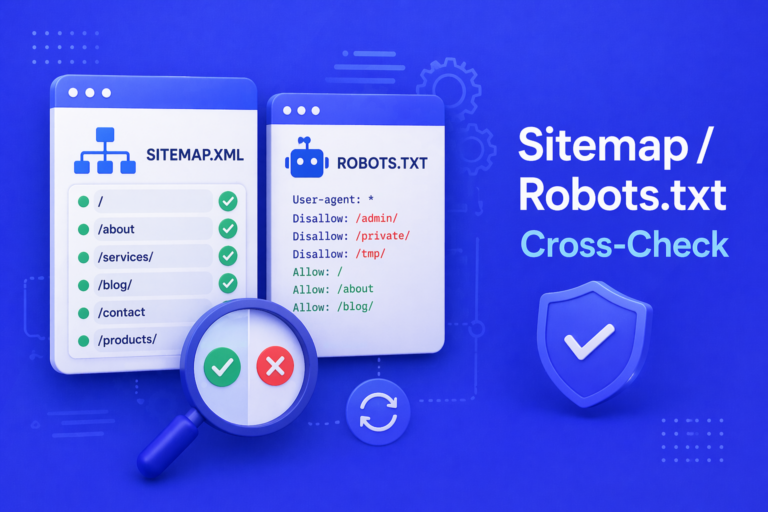
- Sitemap and Robots.txt Cross-Check finds contradictions between what the sitemap submits and what robots.txt blocks.
- AI Bot Log Parser parses server logs and shows which bots actually visit.
- llms.txt Tester and Validator checks llms.txt, the counterpart to robots.txt for language models.